
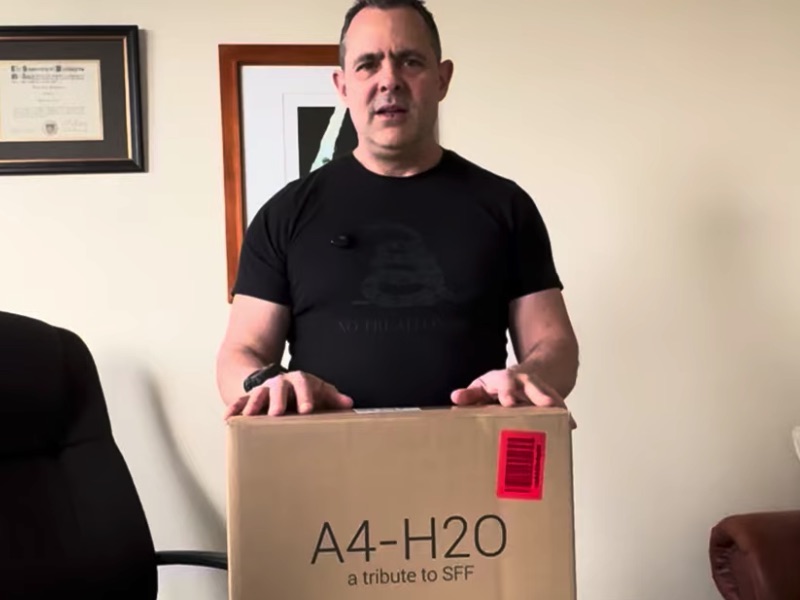
This is where it starts for our private OpenClaw AI Agent video series. We build a private AI system from scratch with hardware designed to run AI agents locally for maximum privacy with no cloud and no limits.
This first video is the unboxing of the hardware to see what we’re using. Follow us on YouTube @goWizzWare to keep up on the build!
OpenClaw AI Agent Series – Episode 1: Hardware Build and Setup
If you’ve been watching the rapid rise of AI agents and wondering how to actually run them locally, this is where it starts.
In this first video of the OpenClaw AI Agent series, we walk through the foundation: building a private, local AI system using custom hardware instead of relying on cloud services. This is a hands-on build designed to run AI workloads, locally, with full control.
Here’s what we used:
- Graphics Card – https://amzn.to/3OwqA64
- Case – https://amzn.to/4sMjkkG
- Motherboard – https://amzn.to/4vJLAHA
- Power Supply – https://amzn.to/4mA3YOI
- Memory – https://amzn.to/48FI2vO
- Hard Drive – https://amzn.to/3OxJXvx
- CPU – https://amzn.to/4sIzgV0
- AIO – https://amzn.to/4tsmxY0
- Speakers – https://amzn.to/4mDPnBL
👉Message me if you want more details!
Follow along on YouTube @InSiteinc for what’s next in our build!


Why Build a Local AI Agent System?
Cloud AI tools are powerful, but they come with tradeoffs:
- Ongoing costs
- Limited control
- Privacy concerns
- Dependency on external services
This build flips that model. By running an AI agent locally, you get:
- Full control over your system
- Offline capability
- No API costs
- A platform you can expand and customize
This is the foundation for what we’re building with OpenClaw and will be a system designed to support persistent AI agents that can evolve into client tools, not just chat interfaces.
What This Video Covers
In Episode 1, we focus on the physical build and initial setup.
Key areas include:
- Why we chose custom hardware over alternatives like a Mac Mini
- The constraints that shaped the build (availability, performance, expandability)
- Hardware selection for running local AI models
- Assembly and layout considerations
- Preparing the system for AI workloads
This is not just about putting parts together—it’s about building a machine that can actually handle modern LLMs and agent workflows.
The Goal of the OpenClaw System
This series is not about building a one-off machine. The goal is to create a repeatable, scalable local AI platform that can:
- Run multiple LLMs locally
- Support agent workflows
- Integrate tools and automation
- Operate without internet dependency
Over time, this evolves into a system that behaves more like a persistent assistant layer, not just a prompt-response tool.
What’s Coming Next
Now that the hardware foundation is in place, the next steps in the series will move into software and orchestration:
- Setting Up the Hardware
- Installing and configuring local LLM runtimes
- Setting up the AI interface layer
- Assigning roles to different models
- Building the agent pipeline
This is where the system starts to come alive. {ALIVE! in my Dr. Frankenstein voice}
Who This Series Is For
This series is built for:
- Developers and builders who want control over AI
- Business owners exploring private AI solutions
- Anyone tired of API limits and recurring costs
- People who want to understand how AI systems actually work under the hood
Final Thoughts
If you’ve been looking for a way to get into AI without relying on someone else’s infrastructure, this is your entry point. Follow along here and on our YouTube channel. Have questions? Contact us!